APPLICATION FEATURES
From meeting transcription to decisions with local AI.
Promic Speech AI is a Windows application for documenting meetings, reviewing what was said and consulting meeting history. In the Professional edition, AI processing and the archive stay on the customer workstation. Archive features depend on the selected usage profile and settings.
Request a trial or license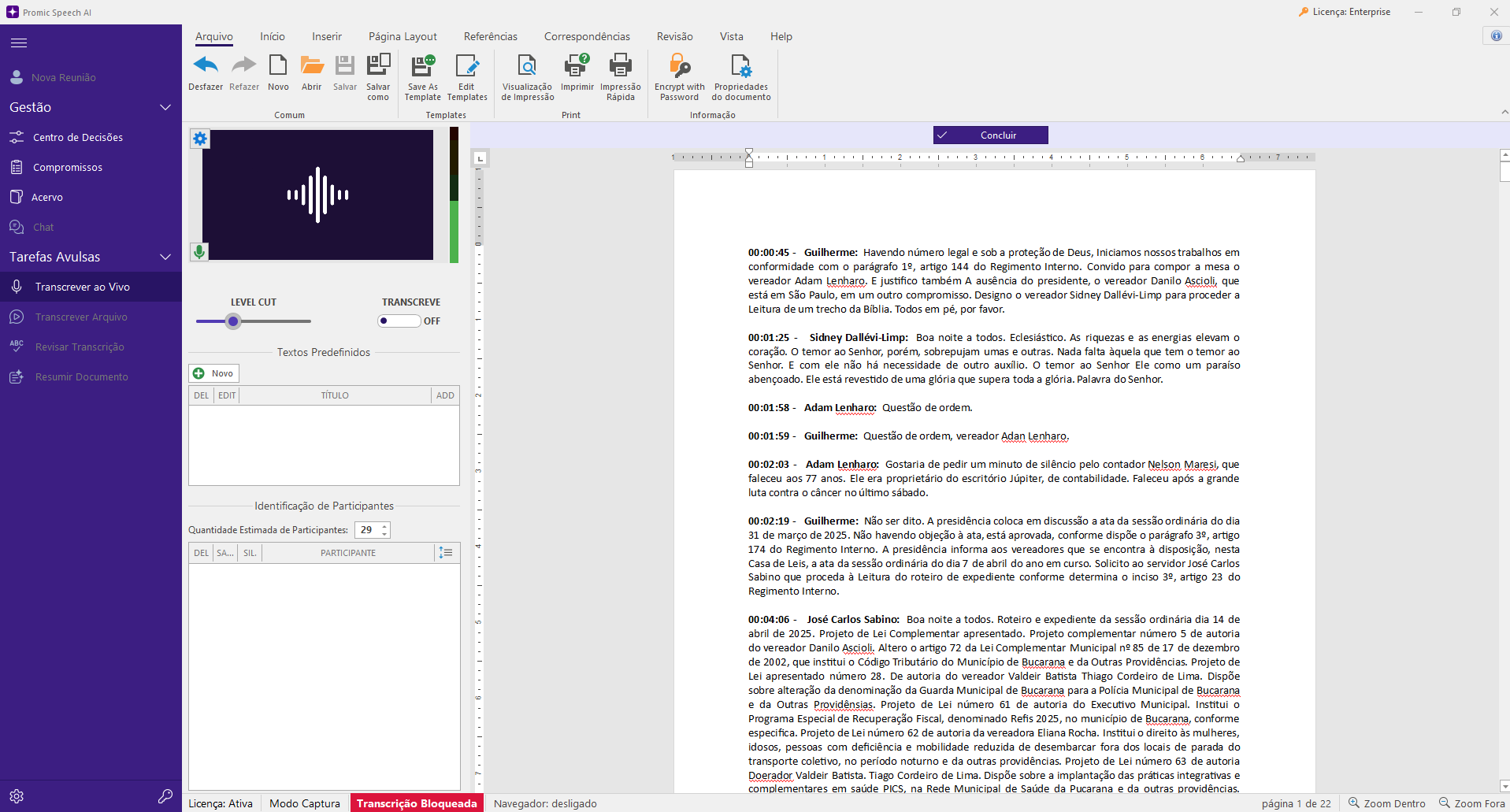
Your AI, in your infrastructure
In Professional, transcription, summaries and queries process content on the Windows workstation. Activation and model downloads use the internet.
02Enterprise for teams
Users, groups and permissions for live meetings and commitments in an organizational archive. Deployment by proposal.
03Chat with your archive
Ask AI questions, request summaries and suggested next steps. Check the cited meetings before acting.
Capture in-person meetings and online calls
Transcribe live through a room microphone or USB audio interface without a video meeting platform. For online calls, the application can capture audio from a selected window without adding a meeting bot. You can also open existing audio or video files.
Choose a transcription model
Whisper Large V3 Turbo is the default. The catalog also includes Large V3, Medium Q8 and Medium English Q8, the last of these for English audio. Availability and performance depend on the GPU and installed models.
Identify and correct speakers
The application separates speech by voice and lets you review participant names. You can correct assignments, merge duplicate voices and keep references for recurring participants. Automatic speaker identification may require human review.
Review text and export documents
The transcript appears in an integrated editor. When the recording is available, review can return to the audio passage related to a statement. The reviewed document can be exported as DOCX or PDF.
Create summaries with local models
Choose a language model from the catalog that fits your GPU and use styles such as executive minutes, detailed, action-focused or chronological by topic. Summary instructions can be edited. Review names, numbers and conclusions before sharing.
Chat with AI about your meetings
Ask questions in natural language, request a summary of a meeting or period, and ask for suggested next steps grounded in the archive. Chat consults available transcripts, summaries and facts according to the usage profile, with references to source meetings. Check the sources and review suggestions before acting. Semantic search requires prior indexing.
Follow decisions and commitments
When fact analysis is enabled, the application organizes suggested decisions, disagreements and commitments. A person reviews and accepts these items; the Decision Center brings together open items and shows context from related meetings.
Build local infrastructure without cloud AI processing
In Professional, the GPU, AI models and archive database reside on the Windows workstation: meeting content need not be sent to a cloud AI service for transcription, summaries or archive queries. In Enterprise, archive and access can reside in the organization’s infrastructure as defined in the proposal. License activation and initial model downloads use the internet.
Connect your team with Enterprise
An Enterprise deployment lets you add users, organize groups and set permissions for capturing live meetings, reviewing documents, querying the archive and following commitments. Processing infrastructure and the number of simultaneous meetings are defined in the proposal.