MEETING MINUTES WITH AI
From recording to reviewed minutes, without typing the whole meeting.
Promic Speech AI transcribes the meeting, separates who spoke and drafts a minutes-style summary with a language model that runs on your workstation. You review the text, adjust what is needed and export the document as DOCX or PDF.
Request a trial or license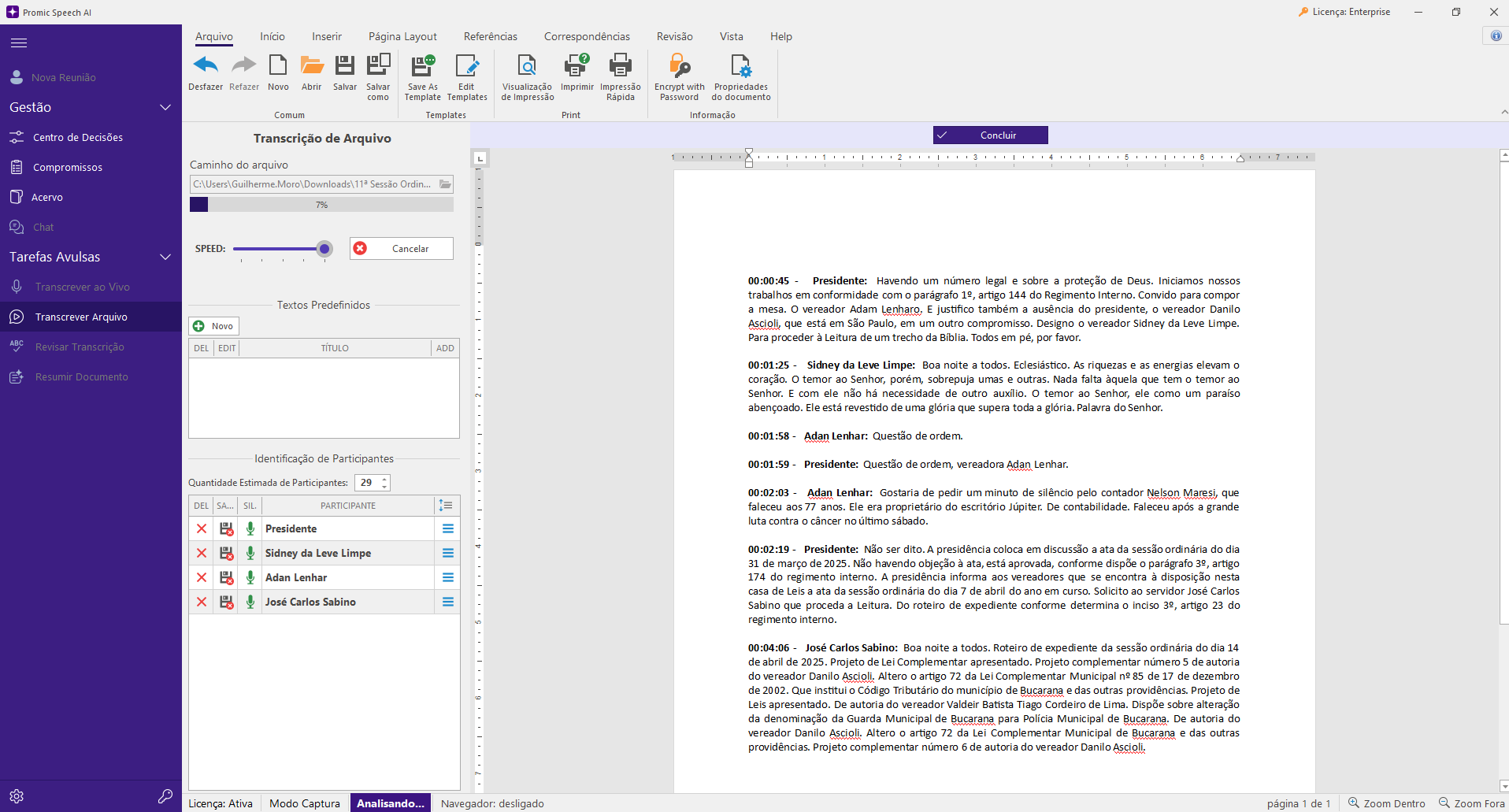
Start with the transcript
Minutes start from a complete record of the meeting. Transcribe live from a room microphone or from a call window’s audio, or open an audio or video recording. Whisper runs on the workstation GPU and the text appears in the application editor.
Attribute every statement to its speaker
The application separates speech by voice. Rename participants, correct assignments and merge duplicate voices. Frequent participants can have their voice saved for future meetings. Automatic identification may need human review, especially with similar voices or overlapping speech.
Choose a minutes style
Create the summary with a local model from the catalog that fits your GPU. Styles include executive minutes, detailed, action-focused and chronological by topic. Summary instructions can be edited to follow your organization’s minutes template.
Review with the audio alongside
When the recording is available, review can return to the audio passage related to a statement. Check names, numbers, deadlines and conclusions before closing the document: the summary is an AI draft, and the final minutes are the responsibility of whoever signs them.
Export as DOCX or PDF
Export the reviewed document as DOCX to keep editing in your word processor, or as PDF to circulate and archive.
Carry decisions and commitments to the next meeting
When fact analysis is enabled, the application suggests decisions, disagreements and commitments. A responsible person accepts the items, and accepted commitments return as open items at the next meeting, with a reference to the source meeting.
FAQ
Frequently asked questions
Are the minutes ready without review?
We do not recommend it. Transcription and summaries save the typing, but names, numbers and conclusions should be checked by the person who chaired or took notes for the meeting before approval.
Can I use my organization’s minutes template?
Yes, as far as the language model can follow it. Pick the closest style and edit the summary instructions with the structure and terms you use. The document stays editable before export.
Does the recording have to leave the workstation?
No. In Professional, transcription and summaries run on the Windows workstation GPU. The internet is used to activate the license and download the models.
How long does it take?
It depends on the GPU, the meeting length and the chosen model. In live transcription, text appears in the editor during the meeting; recordings are processed on the GPU, and the time varies with the card.