MEETINGS IN THE SAME ROOM
Transcribe in-person meetings live, from the room microphone.
Not every meeting happens on a call. Promic Speech AI transcribes conversations in the same room from a microphone or audio interface connected to a Windows workstation, with no video meeting platform and no bot. Text appears in the editor during the meeting, with statements separated by participant.
Request a trial or license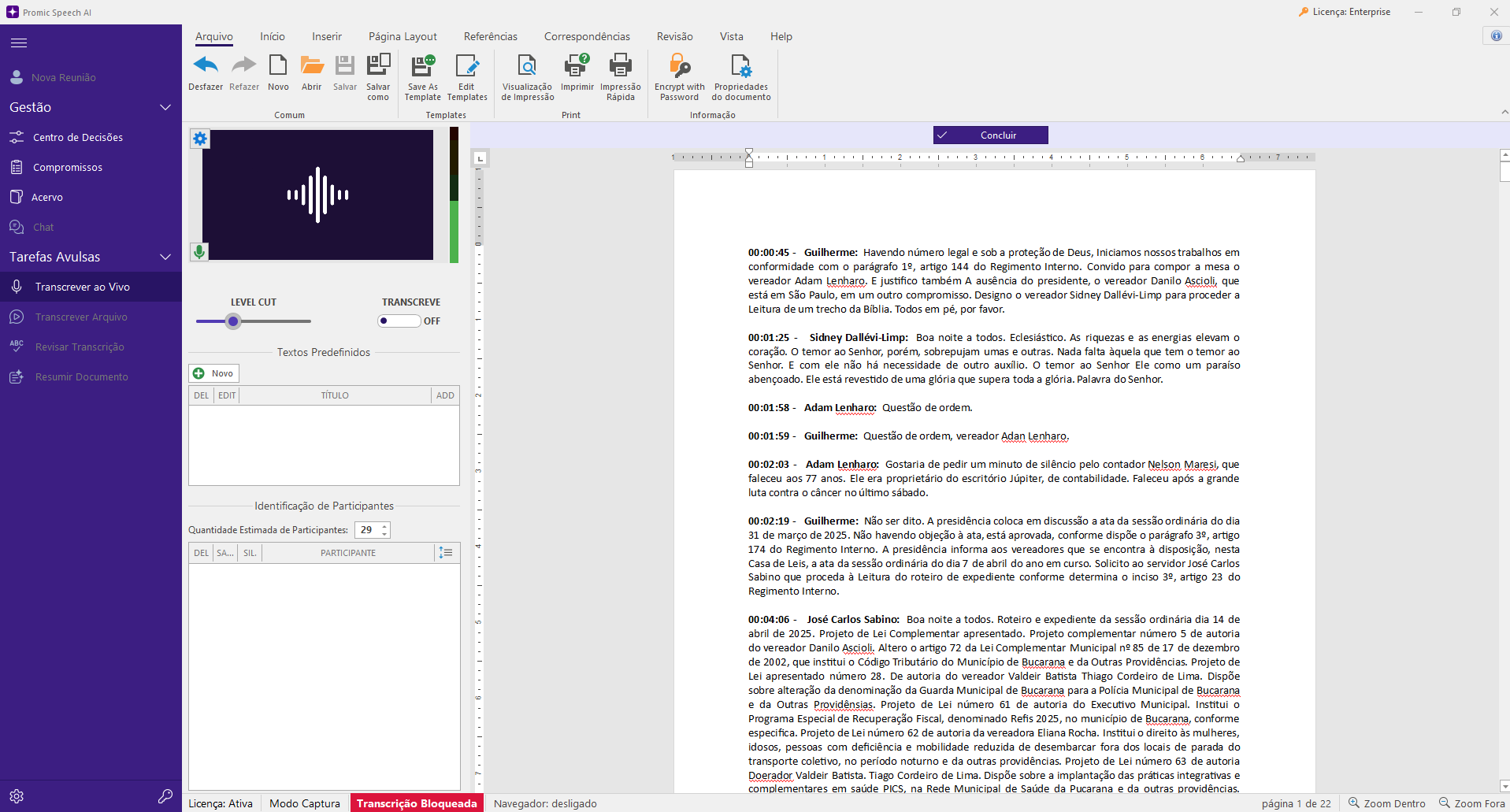
Connect a microphone to the workstation
Use a desk microphone, a room microphone or a USB audio interface connected to the Windows computer. The application transcribes that input live, with Whisper running on the workstation GPU.
See who is speaking
Statements are separated by voice as the meeting happens. Rename participants, correct assignments and merge duplicate voices. Frequent participants can have their voice saved so they are recognized in future meetings.
In chambers with the PROMIC system
In chambers and plenary rooms that use Riole’s PROMIC system, the speaker can be identified by the open desk microphone. Integration is handled by proposal.
Tips for better audio
Transcription quality depends on the audio. Place the microphone at the center of the table or use one microphone per group of participants, keep fans and air conditioning away from the pickup, and ask people not to talk over each other. Rooms with heavy echo reduce accuracy; a boundary microphone or a mixer that combines several microphones usually helps.
Record now, transcribe later
If you prefer to record the meeting with other equipment, open the audio or video file in the application afterwards. Transcription, speaker separation and review follow the same workflow.
Close the minutes and follow up
At the end, create a minutes-style summary with a local model, review it and export as DOCX or PDF. When fact analysis is enabled, decisions and commitments are recorded for the next meeting.
FAQ
Frequently asked questions
Do I need special equipment?
No. A microphone connected to the Windows workstation is enough to transcribe. For large rooms, a room microphone or an audio interface with several microphones improves pickup. The workstation needs an NVIDIA RTX GPU with at least 8 GB of video memory.
Does it work with several people talking?
Yes. The application separates statements by voice and lets you correct assignments. Overlapping speech and very similar voices are the cases that most need review.
Can I use the same workstation for online meetings?
Yes. For online calls, the application captures the meeting window’s audio without a bot. Recordings can also be opened later.